When you think your Google Business Profile is fully set up and everything looks good, try viewing it from the city where you actually want to be found.
The key issue isn’t whether your profile exists — it’s whether your customers can see it where you want them to.
Research shows that over 80% of consumers search online for local businesses every week, and 42% of clicks on local queries go to the map pack.
Meanwhile, a complete and active Google Business Profile receives 2.7× more engagement and has a much higher chance of being noticed.
If you’re not showing up where people are searching, then effectively — you don’t exist there.
In this article, we’ll explain how to check the visibility of your Google Business Profile in target cities and ensure that Google displays your business exactly where it matters most.
Why Your Google Business Profile Might Not Show Up in Target Cities
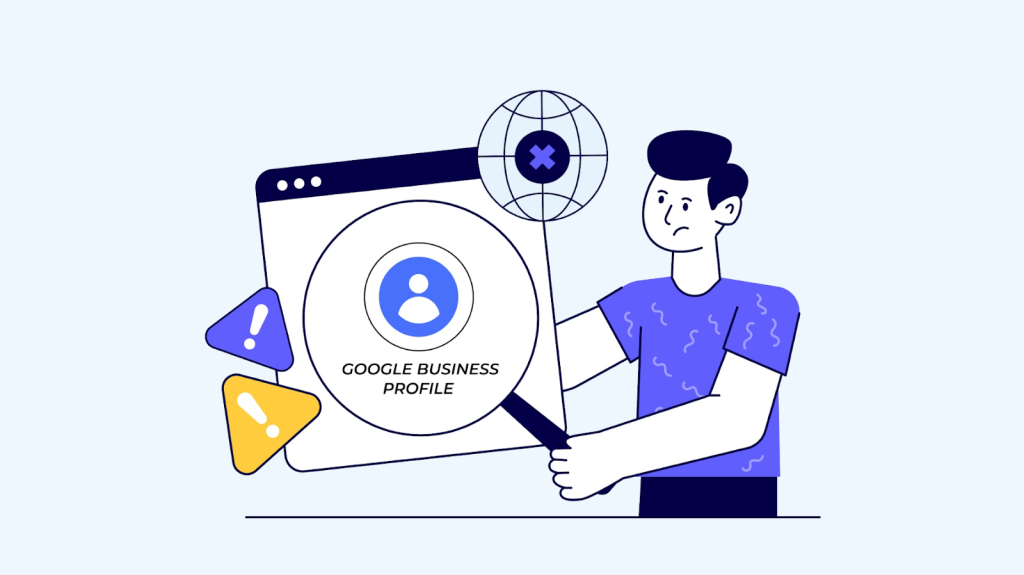
Just because your Google Business Profile is created and verified doesn’t mean users can actually see it where you want them to.
Google’s local results depend not only on keywords but also on many factors related to location, relevance, and business activity.
Here are some of the most common reasons your profile might not appear in search results in the right cities — and what you can do about it 👇
1. Location Is Too Narrow
Google prioritizes businesses that are physically closer to the user.
If your office is in downtown Warsaw, you simply won’t appear for the query “coffee shop Kraków.”
☕ Tip: If you serve clients nationwide, create separate profiles for each branch or expand your service area in the settings.
2. Incorrect Category or Business Description
Your chosen category directly affects how Google matches your business to user queries.
If you list your business under “services” instead of “laptop repair,” Google won’t associate you with the right searches.
🛠️ Tip: Use an accurate primary category and add secondary ones — Google allows up to 10.
3. Low Profile Activity
Google favors active, “living” profiles.
If you haven’t added photos, published posts, or replied to reviews in a while, your rankings will drop.
📅 Tip: Update your content every 1–2 weeks — post photos, short updates, or offers.
4. Not Enough Reviews
Reviews are one of the strongest local ranking signals.
Their quantity, rating, and frequency directly influence your visibility in the Local Pack.
⭐ Tip: After a successful service, send customers a short review link — it increases the likelihood of getting fresh feedback.
5. High Competition in the Area
In big cities, Google ranks dozens of similar businesses.
Even a perfectly optimized profile can lose to competitors with more reviews or higher engagement.
📈 Tip: Use a tool like iSearchFrom to see which competitors appear above you — analyze their listings, photos, and review activity.
Even small adjustments — updating your description, collecting new reviews, or expanding your service radius — can help you reappear in the places that matter most.
How to Check Your Google Business Profile’s Visibility in Target Cities
Even if your profile looks perfect, it doesn’t necessarily mean users can see it in the right cities.
Checking your local visibility is the only way to see Google the way your customers do.
Here’s how to make sure your business actually shows up in the areas where you operate 👇
1. Identify Your Key Queries and Cities
Start with a simple list: 5–10 key phrases you want to rank for and 3–5 cities where visibility matters most.
For example:
“laptop repair Warsaw,” “legal consultation Kraków,” “pizza Poznań.”
💡 Tip: Include both branded and generic keywords — many businesses appear for their name, but not for their services.
2. Use a Search Simulation Tool
Manually checking Google won’t work — you’ll only see personalized results.
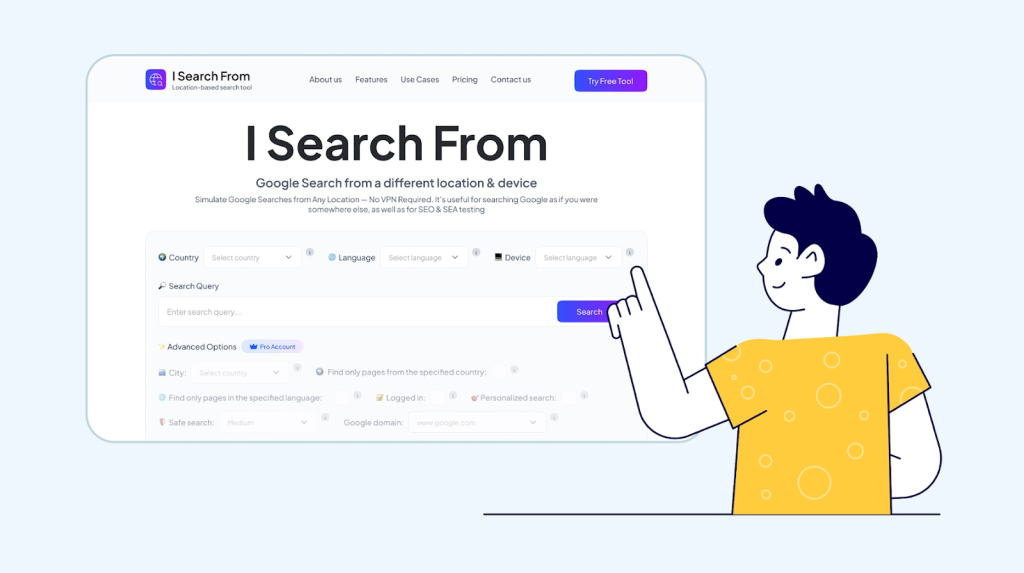
For objective data, use a tool like iSearchFrom.com — a lightweight, browser-based utility built specifically for testing Google search results from different locations, languages, and devices.
It lets you simulate a search exactly as if it were made by a real user in another city — without changing your IP or using a VPN.
You can select the country, city, language, device type (desktop or mobile), Safe Search level, and even the Google domain (like .com, .de, or .pl).
Once you enter your keyword and hit Search, the tool instantly generates a SERP that mirrors what users in that area actually see — with no personalization or cookies involved.
This makes it one of the most accurate and efficient ways to understand how your business appears across different regions.
3. Check If Your Profile Appears in the Local Pack or on the Map
See if your business shows up among the top three listings in the Local Pack (the map block under the search bar).
If not, scroll through the map manually — your profile may appear lower but still be visible.
💡 Tip: Pay attention to small details — competitors who rank higher might have more reviews, better photos, or keywords in their business name.
4. Record the Results
Create a simple spreadsheet to log where your profile appears and where it doesn’t.
Columns: city, keyword, ranking, visible/not visible.
This gives you a baseline for tracking changes and evaluating progress after optimization.
5. Repeat Regularly
Local search results change frequently, especially after Google algorithm updates or new reviews.
Repeat this check at least once a month to understand where your business remains visible — and where it starts slipping.
This simple process takes less than ten minutes but gives you a clear picture of whether customers actually see your business where you want to be found.
What to Do If Your Profile Doesn’t Show Up

If your business isn’t appearing in the right cities, don’t panic — it’s simply a signal that Google’s algorithm finds other companies more relevant.
The reasons are almost always straightforward: lack of local signals, too few reviews, or low profile activity.
Start small: update your business category and description, upload a few fresh photos, ask recent customers to leave a review, and make sure your service area is correctly defined.
Google often reacts quickly — you might notice the first improvements within just a few days. Keep checking your visibility regularly.
Local search is a dynamic system where success comes to those who look at their business through the customer’s eyes — not just through the admin dashboard.
If you realize that your profile isn’t visible in the cities that matter most, it’s time to remind Google exactly where your business deserves to be found.
About the author:
Stacy S. is a Marketing Officer at iSearchFrom, where she helps brands understand how their customers actually experience Google search. She focuses on real user behavior and turns those insights into practical, data-driven marketing strategies that help businesses grow.
About the Author